
Updating WooCommerce Cart Settings
If you're using WP Compress with Cloudflare and WooCommerce, you may notice items added to the cart disappear when navigating to another page, or the cart count showing incorrect values. This is caused by Cloudflare caching pages it shouldn't — specifically the add-to-cart request — before session cookies can be set on the browser.
The fix is straightforward in most cases.
Step 1: Enable AJAX Add to Cart
AJAX add to cart is the safest method to use alongside any caching setup — it fires as a background request that is never cached, completely avoiding this issue.
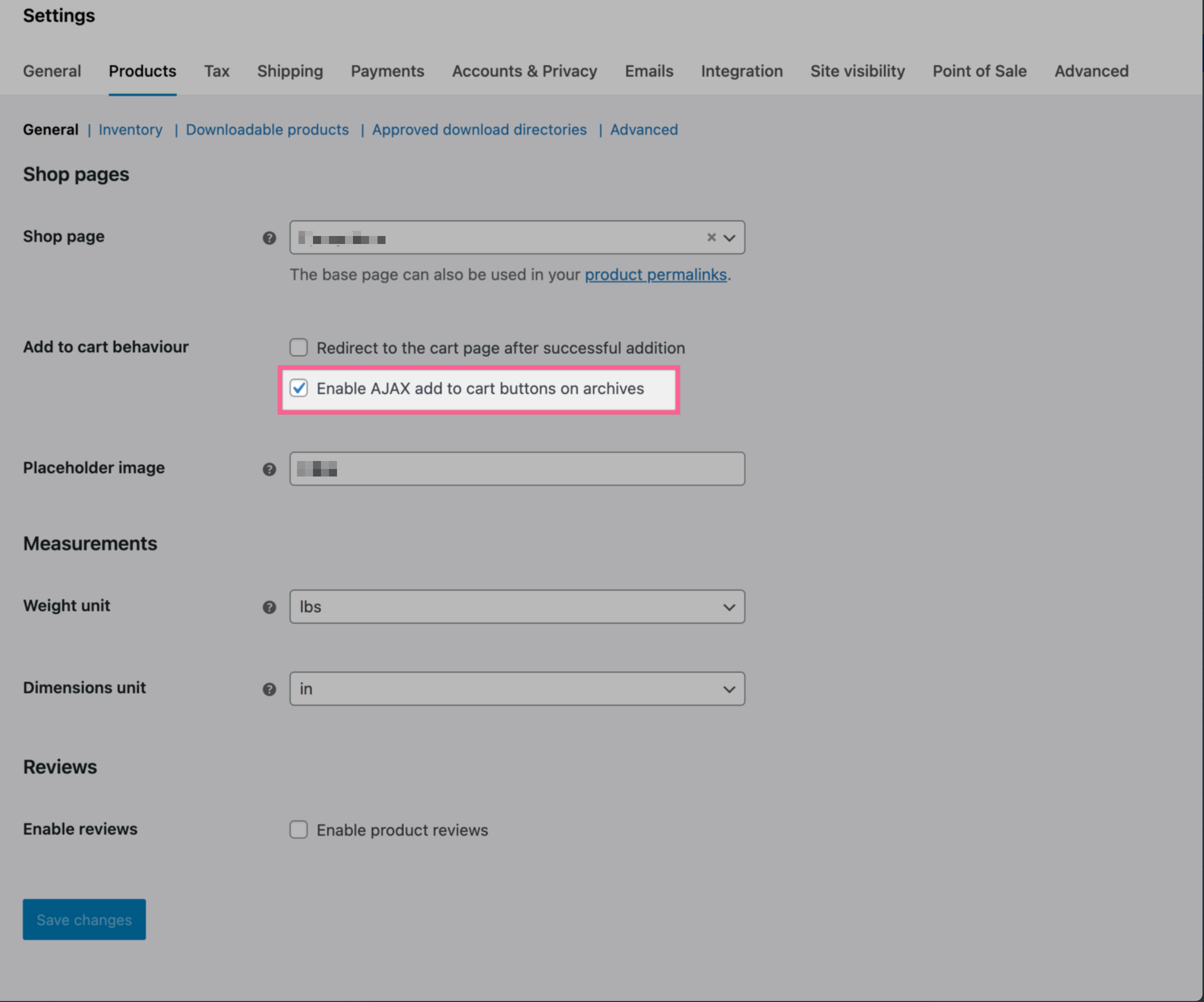
In WooCommerce:
- Go to WooCommerce > Settings > Products
- Enable Add to cart buttons on archives via AJAX
Step 2: Refresh Your Cloudflare Connection
Refreshing the connection will update your cache rules to correctly exclude WooCommerce cart, checkout, and session URLs from being cached.
- Go to your WP Compress dashboard
- Navigate to the Cloudflare integration settings
- Click Refresh Connection
Still Having Issues?
Updated on: 03/03/2026
Thank you!